Search models, users, collections, and posts

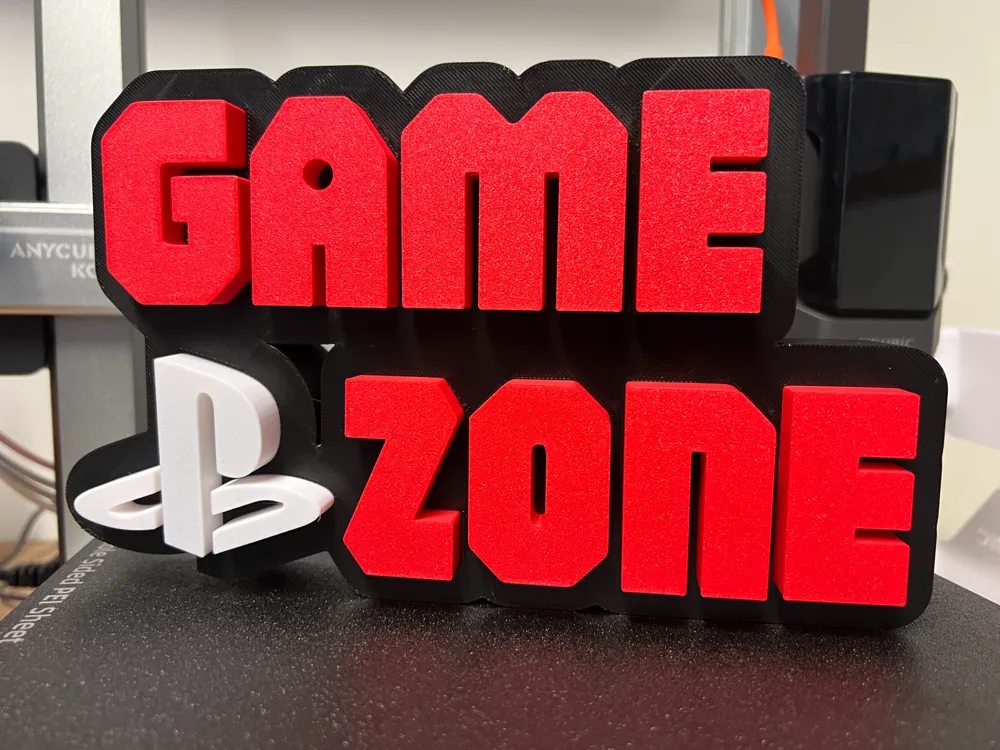
Game Zone Playstation
IP Report
Print Profile(1)
0.2mm layer, 2 walls, 15% infill
Designer
6.6 h
3 plates
Open in Bambu Studio
Boost
48
72
3
3
67
23
Released
Description
Game Zone Playstation.
- Printing
- Open the STL file in a 3D software:
Load the STL file into a slicing software.
- Orient the model (Face Down):
Rotate the Stl Top models so that the top face is positioned downward
2. Plan Your Design
- Choose the Type of LED Strips:
- Standard LED Strips: Great for general lighting. (Choose color PLA)
- Addressable RGB LEDs: For customizable colors and effects. (Choose white PLA)
Ensure the strip length matches your project.
- Determine Placement:
- Decide where the LEDs will go. Consider grooves, channels, or recessed areas designed into the model for LED installation.
If the model has no predefined space, you may need to manually carve or modify it.
- Power Supply:
- Confirm the LED strip voltage (e.g., 5V, 12V, or 24V) and ensure you have a compatible power source.
- If using USB-powered LEDs, plan for a USB power port
License

This user content is licensed under a Standard Digital File License.
You shall not share, sub-license, sell, rent, host, transfer, or distribute in any way the digital or 3D printed versions of this object, nor any other derivative work of this object in its digital or physical format (including - but not limited to - remixes of this object, and hosting on other digital platforms). The objects may not be used without permission in any way whatsoever in which you charge money, or collect fees.


Comment & Rating (3)