
micro gear fidget ring


Print Profile(2)

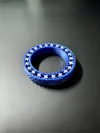

Description
I finally tried out my 0.2mm nozzle and made a fidget ring for it. This one is all-day wearable just like a normal ring - at least I found it to be; it does have quite some thickness, and you might find that still comfortable or not. If everything turns out fine, this is a great fidget toy!
Also see my other fidget rings (including a bracelet).
Important: This is a delicate print
- Bed adhesion is really important. Those small gears have very low contact area to the build plate; if one comes off, the print is ruined.
- If a rogue blob of filament accidentally finds it's way into the gears, the print might be ruined.
- I had a failure rate of about 1 in 10.
- Printer settings and filament are critical.
- This model is subject to wear. Continuous use smooths the teeth out, the clearance grows and the gears can shift. I encountered this (using PLA) after about a week of frequent use. I haven't tried other filaments.
Printing:
Choose the right size (I suggest testing that with the ring size set, which I actually made for exactly this purpose). If you need a size in between two sizes, choose the lower and scale it up by 2-3%. Before going for multi-color, print a single color one first to check if it works.
- 0.2mm nozzle.
- random seams to avoid bunched seam blobs
- slicing gap closing radius: 0.01mm, since this ring has a clearance of 0.065mm
- wall generator: classic, since Arachne made the rings turn less smoothly in my tests
- outer wall first
- I also disabled ‘only one wall for top layer’ for cosmetic reasons.
This is of course all set in the 3mf file. It's last plate contains all sizes in dual-color. Delete the unwanted, duplicate those you need more of.
Slightly pinch the finished ring from various sides so that many small gears break free. Then carefully try to turn the ring. It then needs a bit of breaking in. If you can't get it free try reducing the extrusion multiplier (flow ratio) a bit (or use a slightly negative XY contour compensation and a slightly positive XY hole compensation, e.g. -0.01 and 0.01 respectively).
I used a Bambu A1 mini, a smooth build plate, and Bambu basic black and matte color PLA. I printed a bunch (wich took quite a while), so if one wears out, I have another one. Also with multi-color the wasted-filament-per-ring-ratio goes down if you print them in bunches.
Support me? Buy me a coffee
License

You shall not share, sub-license, sell, rent, host, transfer, or distribute in any way the digital or 3D printed versions of this object, nor any other derivative work of this object in its digital or physical format (including - but not limited to - remixes of this object, and hosting on other digital platforms). The objects may not be used without permission in any way whatsoever in which you charge money, or collect fees.


Comment & Rating (106)