
OTF Fidget Knife Over-Engineered and Upgradeable

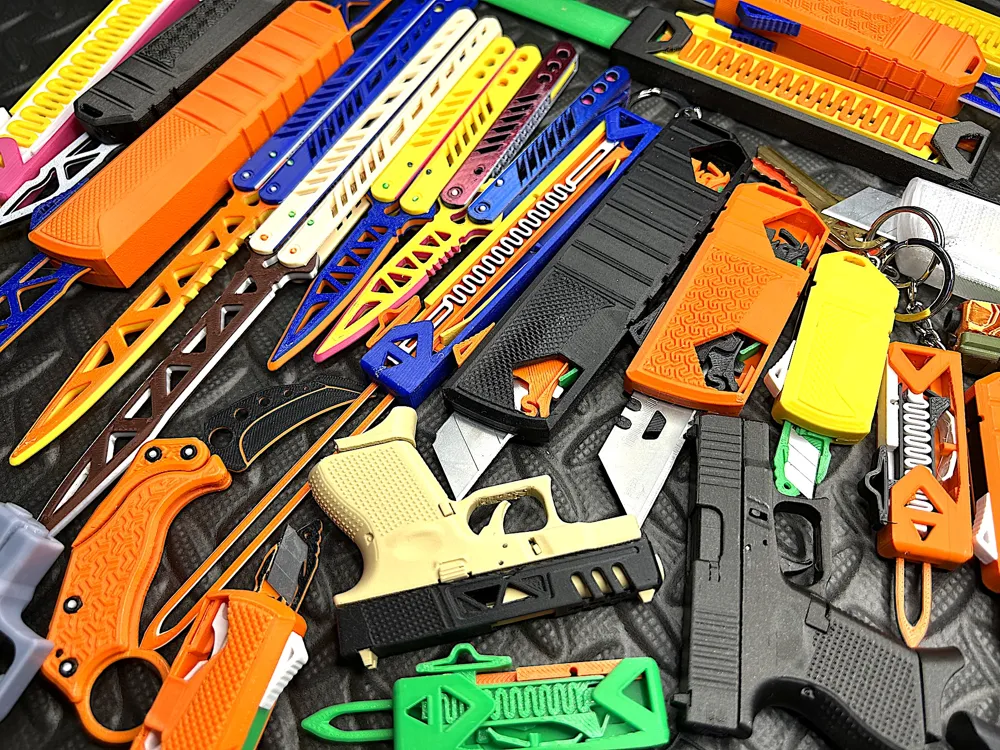




Print Profile(39)


Bill of Materials









Description
Check my crowdfunding project OE OTF RE: Redefine and Evolve
It is recommended to use the latest enhanced version below, which provides better style and handling. 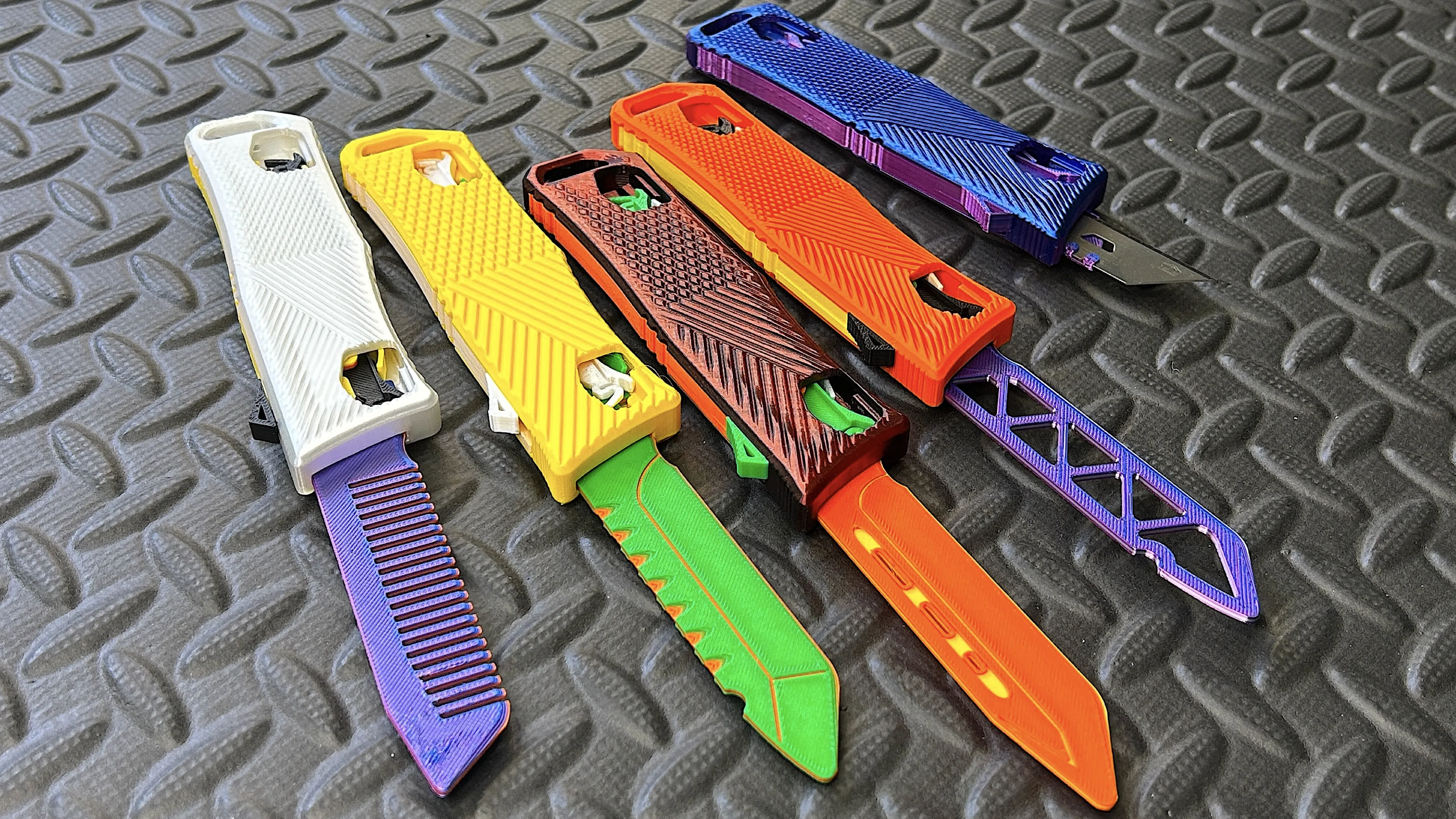 |
Have a knife day!
Boost Me (for free)
Let's interact! Boost me, then DM me to get the handle with cutout windows!
(This is an over-engineered model. Please always print using a print profile and DO NOT try to slice it yourself!)
⚠️⚠️⚠️⚠️⚠️Make sure no ELEPHANT FOOT.⚠️⚠️⚠️⚠️⚠️‼️‼️‼️‼️‼️Especially if you print from A1 mini or A1. ‼️‼️‼️‼️‼️🌟🌟🌟🌟In Bambu Studio, increase default Elephant Foot Compensation to 0.15 [ Wiki link ]🌟🌟🌟🌟 |
 This accurate model requires printing using the most reliable filament and printer settings. Good as a benchmark testing your machine and filament setup. If you are confident in your settings, you may want to try changing the filament. But you can also try the spring kit set profile. This will, to some extent, force the overturning of certain errors. Please let me know the results. Good luck.The main problem is warping: The front cut out becomes smaller. The blade failed to catch the spring for ejection. Strongly suggest Liquid Glue in BambuStore.Filament issues: The push lever is difficult to move(a common problem with silky), or if the parts need to sanded, this means you need to try a different filament colors/types.Installation issues: The latch lever is oriented in a "V" shape, not an "A" shape. Pull the blade all the way out (reference time 1:06 in the video) and the latch lever will prevent it from returning. Now you can install the top cover.Lubricate thoroughly with cooking oil.(Don't blame a model or print profile by giving a low rating. It won't help you to be successful with your next print at all!) |
****No hardware required. But if you want to use metal spring, here you go the upgrade kit using BA001, BA002

****Based on my experience, not all PLA filaments are suitable for precision printing.
**** Profile well testing using PETG-HF and PLA Basic, Sparkle and Marble. Strongly suggest PETG-HF, especially for the spring. And the PLA Silk Dual Color is not good for this precision print.
****If mixing filament types (e.g. PETG with PLA) for multiple colors, it is best to disable flow calibration.
Yet another OTF fidget, Anti-anxiety, ADHD.
More pattern and print profile to be updated.
Link to watch the build video instruction


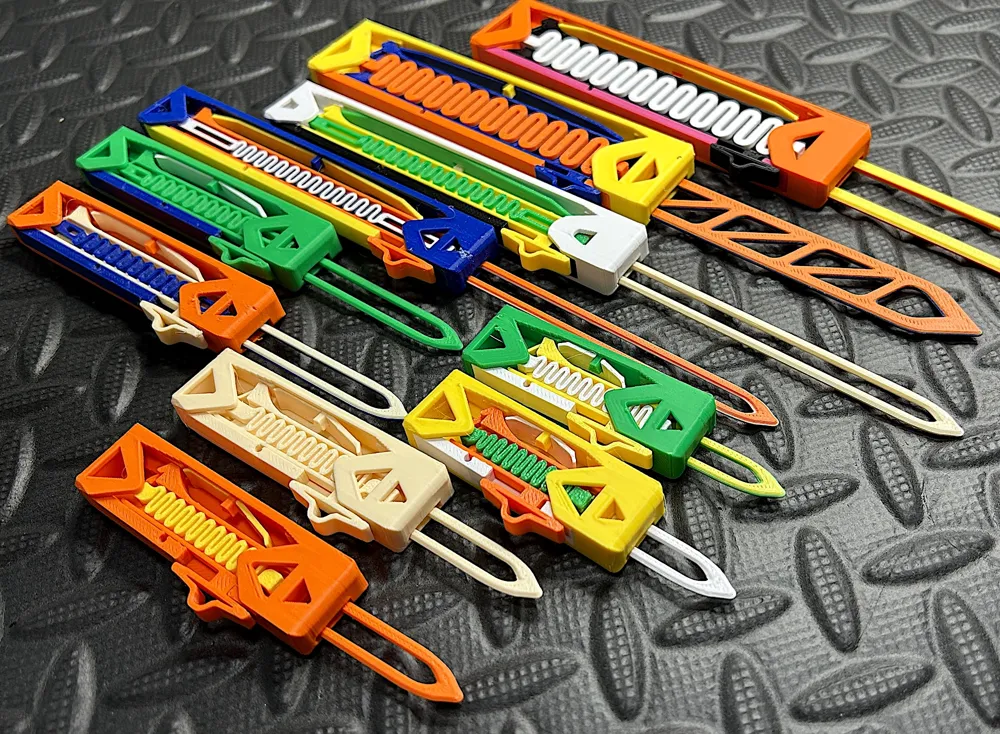

Total 6 Parts

Or using optional metal spring upgrade kit.


4+1 types of handles


Many patterns (Too busy, to be released. Follow me, stay tuned! And you can always suggest a missing patterns by comment.)

Optional Push Buttom. (Indeed I made the button with jimping texture at the very beginning. Over the development time and stress test, that jumping texture really hurt my thumb. So I smooth it out for fidget purpose. Anyway you can try this print profile. :P "Optional Jimping (Textured) Button Upgrade")

Blade Type


btw. Thumb pain indicates that the OTF is not working properly. You're trying to cover all the print and filament error with your Hulk thumb. A good OTF can be triggered through your pinky finger!

Someone started a challenge. Speed build in 14s. https://makerworld.com/community/post/70059Let us know how fast you can do in the comment! |
Don't forget to try my Gravity Knife!

Good luck and good luck printing!
Try my nozzle wiper fix for X1/P1/A1.


Also try this hourglass clock!

Documentation (2)

License

You shall not share, sub-license, sell, rent, host, transfer, or distribute in any way the digital or 3D printed versions of this object, nor any other derivative work of this object in its digital or physical format (including - but not limited to - remixes of this object, and hosting on other digital platforms). The objects may not be used without permission in any way whatsoever in which you charge money, or collect fees.


Comment & Rating (5275)